

Description
Download Elcomsoft Phone Viewer – Secure Windows Backup & Cloud Viewer
Overview of Elcomsoft Phone Viewer
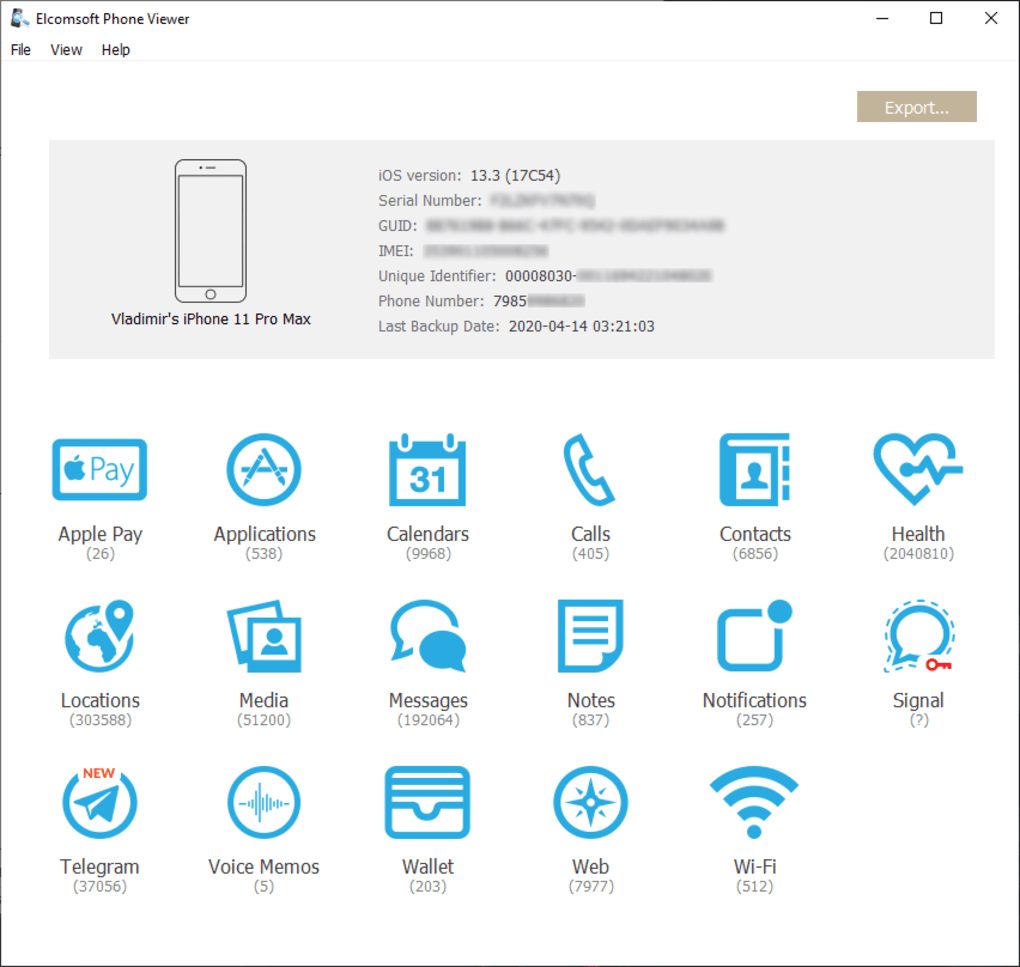
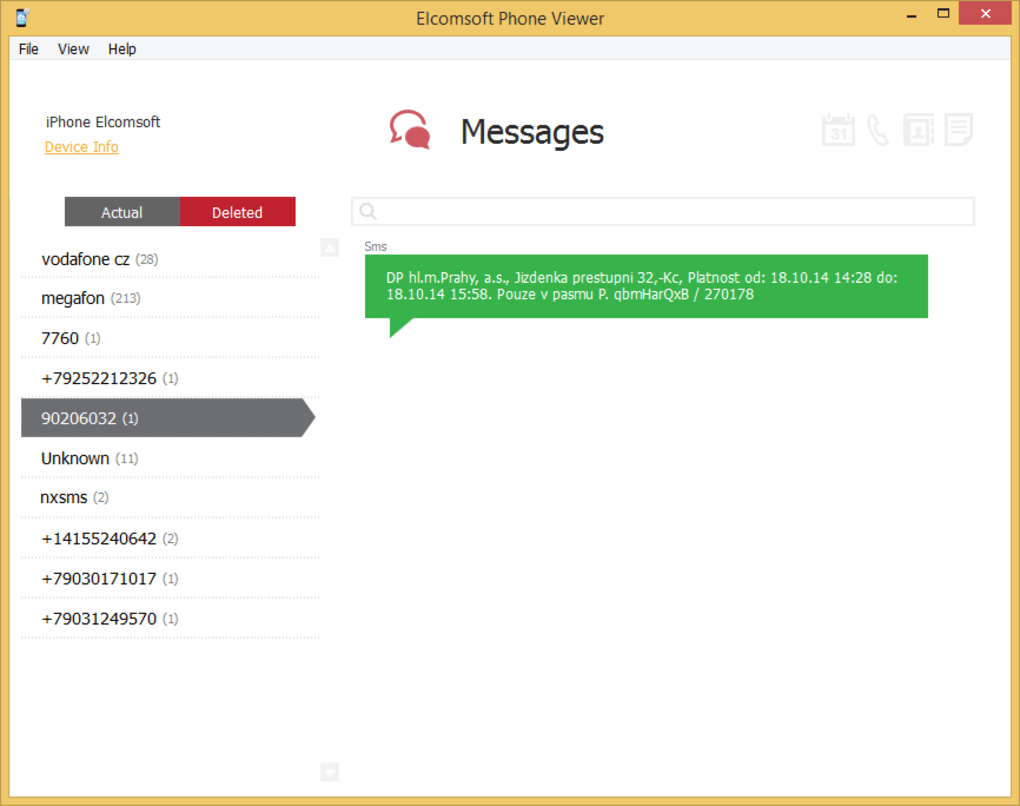
Elcomsoft Phone Viewer is a Windows‑based trial application designed to give forensic investigators, security analysts, and power users a quick glance at the contents of a mobile device backup without the need to fully restore the data. Published on Softonic in May 2020, the tool belongs to the “Backup & Cloud Storage” category and targets Windows 8.1 and newer platforms. Although the trial version is limited to English language only, it offers a clear, grid‑style interface that lists contacts, messages, call logs, and multimedia files extracted from iOS or Android backups. The current build, version 5.40.39059, focuses on speed and reliability, allowing users to load a backup file in seconds and navigate through the data using intuitive filters and search options. While the full‑featured paid edition unlocks deeper analysis capabilities, the free trial still provides a valuable snapshot for anyone needing to verify the presence of specific information before committing to a full forensic examination. The application’s lightweight footprint (under 150 MB) and straightforward installation process make it suitable for both on‑premise labs and remote incident response teams who require a secure, no‑frills viewer that respects data integrity. Overall, Elcomsoft Phone Viewer fills a niche in the digital forensics toolbox by delivering a fast, secure way to preview mobile backups on Windows machines.
Key Features and Functional Highlights
- Backup preview without restoration: Open iOS iTunes backups and Android .ab files directly.
- Multi‑platform support: Compatible with both iOS (iPhone, iPad) and Android devices.
- Search & filter tools: Instant keyword search across contacts, messages, and call logs.
- Export options: Export selected records to CSV or PDF for reporting purposes.
- Data integrity checks: Built‑in hash verification to ensure the backup has not been tampered with.
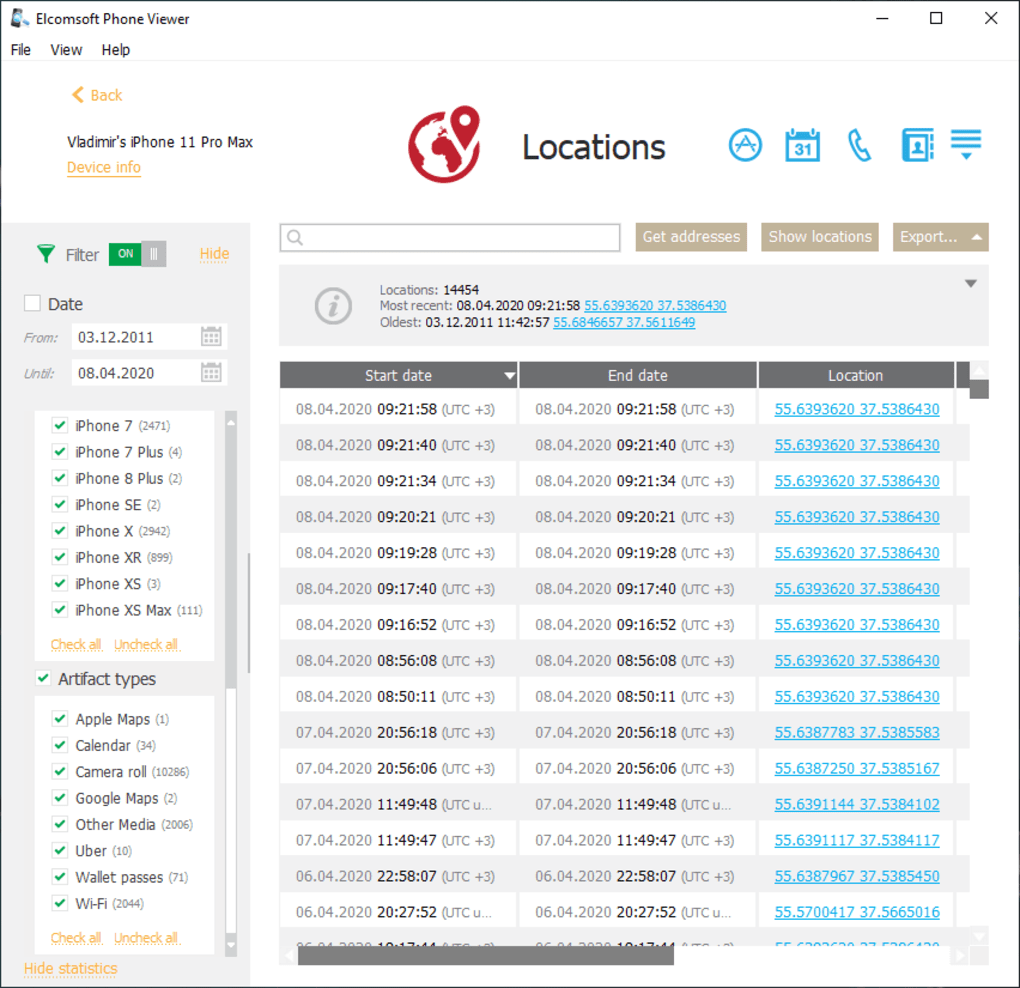
- Lightweight UI: Grid view with sortable columns for quick data assessment.
- Secure handling: No temporary files are written to disk; all data is read in read‑only mode.
- Regular updates: The developer releases security patches and compatibility fixes quarterly.
These features make Elcomsoft Phone Viewer a practical choice for professionals who need to confirm the existence of evidence without the overhead of a full forensic suite. The search and filter capabilities are particularly useful when dealing with large backups that can contain thousands of messages and contacts. Moreover, the export function streamlines the reporting workflow, allowing investigators to include relevant excerpts in incident reports or legal filings without exposing the entire backup. The data integrity checks reassure users that the displayed information matches the original backup, an essential requirement for chain‑of‑custody considerations. While the trial version limits export to a maximum of 100 records per session, the core preview functionality remains fully operational, giving a realistic impression of the paid product’s capabilities.
Installation, Usage Instructions & Compatibility
Installing Elcomsoft Phone Viewer on a Windows machine is straightforward. Begin by downloading the installer from the official Elcomsoft website or the Softonic page. The .exe file is under 150 MB, ensuring a quick download even on modest connections. Run the installer with administrator privileges; the wizard will guide you through the standard steps: accepting the license agreement, choosing an installation folder (the default location is C:\Program Files\Elcomsoft\PhoneViewer), and creating a desktop shortcut. Once installed, launch the application by double‑clicking the shortcut or locating it in the Start menu.
Upon first launch, you will be greeted with a clean interface prompting you to “Open Backup File.” Click the button, browse to the location of your iTunes backup folder (usually %APPDATA%\Apple Computer\MobileSync\Backup) or an Android backup file with the .ab extension. After selecting the backup, the tool performs a quick integrity scan and then populates the main window with tabs for Contacts, Messages, Call Logs, and Media. Use the search bar at the top of each tab to filter results instantly. For example, typing a phone number or name will narrow the list to matching entries. To export data, select the rows you wish to save, right‑click, and choose “Export to CSV” or “Export to PDF.” The exported files are saved to a location of your choice and can be attached to investigative reports.
In terms of compatibility, Elcomsoft Phone Viewer runs on Windows 8.1, Windows 10, and Windows 11 (both 64‑bit and 32‑bit). The software is built on the .NET Framework 4.7.2, which is included with modern Windows installations, so no additional runtime is required. While the trial edition is English‑only, the full version supports additional languages. System requirements are modest: a dual‑core CPU, 2 GB RAM, and at least 200 MB of free disk space for temporary operations. The application does not require an internet connection after installation, making it suitable for offline forensic labs.
Pros and Cons
Pros
- Fast preview of iOS and Android backups without full restoration.
- Intuitive UI with searchable, sortable tables.
- Secure read‑only mode preserves original backup integrity.
- Export functionality simplifies reporting.
- Lightweight installer and low system resource consumption.
- Regular security updates from Elcomsoft.
Cons
- Trial version limits export to 100 records per session.
- English‑only interface in the free edition.
- No direct cloud integration; backups must be stored locally.
- Advanced analysis (e.g., decrypted app data) requires the paid version.
- Only compatible with Windows; no macOS or Linux support.
Frequently Asked Questions
Can Elcomsoft Phone Viewer open encrypted iTunes backups?
The trial version can detect encrypted backups but cannot decrypt them. To view the contents, you need the paid edition and the backup password.
Is there a limit to the size of the backup file I can load?
There is no hard size limit, but extremely large backups (over 100 GB) may require more RAM and could slow down loading times.
Does the software modify the original backup in any way?
No. Elcomsoft Phone Viewer opens backups in read‑only mode, ensuring that the original files remain unchanged.
Can I use the tool on a virtual machine?
Yes, the application runs smoothly in Windows virtual environments as long as the VM meets the minimum system requirements.
How often are updates released for Elcomsoft Phone Viewer?
Elcomsoft typically releases updates quarterly, addressing new OS versions, security patches, and feature enhancements.
Conclusion & Call to Action
Elcomsoft Phone Viewer offers a focused, secure solution for anyone needing to peek inside mobile device backups on a Windows platform. While the trial version comes with modest limitations—chiefly export caps and an English‑only UI—it still delivers a rapid, reliable preview experience that can save investigators valuable time before committing to a full forensic suite. The tool’s emphasis on data integrity, combined with its lightweight design, makes it an excellent entry point for both seasoned professionals and newcomers to mobile forensics. If you regularly handle iOS or Android backups and need a trustworthy, no‑frills viewer, downloading the trial is a low‑risk way to evaluate whether Elcomsoft’s paid offering aligns with your workflow.
Ready to streamline your backup analysis? Download Elcomsoft Phone Viewer now and start exploring your mobile data securely. For advanced features such as decryption, full export capabilities, and multi‑language support, consider upgrading to the full license after testing the trial.
Elcomsoft Phone Viewer provides a fast, secure preview of mobile backups on Windows. The interface is clean, the search function is responsive, and the read‑only mode guarantees data integrity. While the trial limits export size and language options, the core functionality is solid and useful for quick investigations.
Pros: Fast loading, secure read‑only access, intuitive UI, export options.
Cons: Export limits in trial, English‑only UI, no macOS support.
Guides & Tutorials for Elcomsoft Phone Viewer
How to install Elcomsoft Phone Viewer
- Click the Preview / Download button above.
- Once redirected, accept the terms and click Install.
- Wait for the Elcomsoft Phone Viewer download to finish on your device.
How to use Elcomsoft Phone Viewer
This software is primarily used for its core features described above. Open the app after installation to explore its capabilities.
User Reviews for Elcomsoft Phone Viewer 0
No reviews found





